


Maps for Minecraft PE
4.3255.00 Reviews
App Specs
- Version
- 2.3.3
- Updated On
- License
- Free
- Downloads
- 1,000,000+
- Developer
- Crone
- Categories
- Events
- Platform
- Android
Screenshots
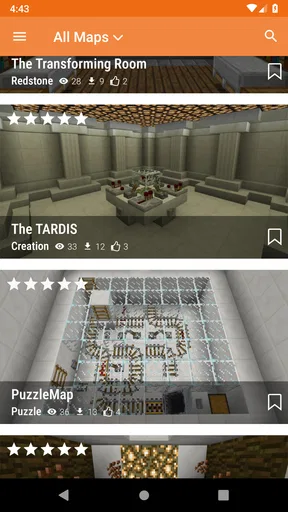
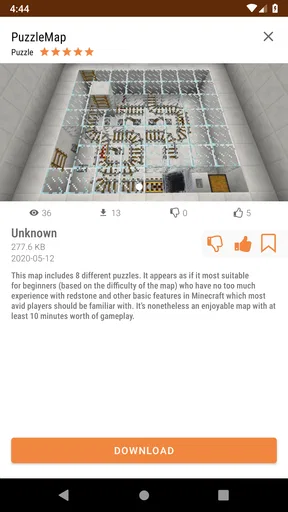
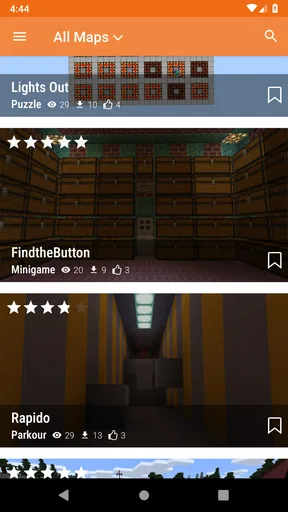
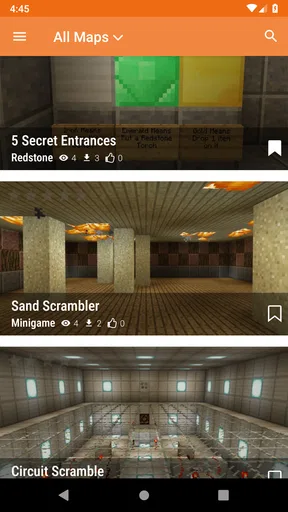
 Analysis by AppCompare
I like having a clear plan before I bring a new map into Minecraft PE. I first decide what I want from the next session: a quick parkour run, a survival challenge, or a place to wander with a friend. That small choice helps me browse with purpose instead of downloading the first eye-catching world I see. Maps for Minecraft PE is an events-category app from Crone that focuses on finding maps and getting them into the game, so its appeal is practical: it can shorten the path from “let’s try something different” to actually loading a new world.
A repeatable way to choose a map
When I’m browsing, I treat each map as a separate activity rather than just another download. I look for a description and preview that make the objective clear, then consider whether the world suits the time I have. A compact challenge is a better pick when I only have a few minutes; a large build or exploration map makes more sense when I can settle in. This habit also makes it easier to remember which kinds of maps I genuinely enjoy.
Before installing anything, I check that Minecraft PE is available on the device and that there is room for another world. A map library can make it tempting to collect far more than I will play. I prefer to install one promising option, launch it, and decide whether it earns a place in my rotation. That keeps the process manageable and makes troubleshooting easier if a world does not appear as expected.
What to check before you tap install
The app’s store details describe automatic installation, which is useful for players who would rather avoid moving files around by hand. Still, I would not treat “automatic” as a guarantee that every map will behave identically on every device or Minecraft setup. I check the map’s own notes, pay attention to any version or compatibility guidance shown, and allow time to open Minecraft and confirm that the world is there. If it is missing, repeating the same tap without checking storage or the game’s world list is unlikely to help.
It is also worth checking the practical side of a map before committing to it. A detailed city can be rewarding to explore, but it may take longer to load and use more storage than a small obstacle course. If I’m choosing something for a shared session, I favor a map with an obvious starting point and a simple goal, so nobody has to spend the first part of the evening figuring out what to do. For a solo session, I’m more willing to try a world that asks for patience.
Build a small rotation instead of a backlog
One useful pattern is to keep a short rotation: one map for a quick challenge, one for open-ended exploration, and one that I can revisit with friends. It gives me a fast answer when someone asks what to play, without turning the app into a pile of unfinished downloads. I also make a mental note of what I liked about each world—layout, pace, or the kind of task it offered—so the next search is more focused.
This app is most useful when I want a browsing-and-installing route that feels simpler than hunting around the web and handling map files manually. The trade-off is that a dedicated map catalog is still a catalog: I have to judge each choice, check the fit for my device and Minecraft setup, and be selective about what I keep. If I already have a trusted source and enjoy managing files myself, that familiar workflow may suit me better. If I mainly want to build in my own world, a map catalog is less important than the game’s own creative tools.
Worth Reading Before You Choose

Flipboard Shows What News Apps Must Do Beyond the Feed

Switching to Android Auto Means Rethinking Your Driving Routine

Google Calendar Makes a Crowded Week Easier to Manage

Ludo King Makes the Most of the Minutes Between Plans

Baby Panda World Brings Quick Play to Modern Phones, but Its Game Library Feels Busy

ESPN’s Live Game View Makes Following Close Games Easier
Who will get the most from it?
I would point newer Minecraft PE players toward this kind of app when they want a ready-made world but are unsure where to start. More experienced players can use it as a convenient way to break a routine, especially when a regular survival world has begun to feel familiar. It is also handy for parents or friends planning a short shared session: choose a map in advance, check that it loads, and avoid spending the group’s playtime scrolling through options.
I would skip it if I rarely play Minecraft PE, have very little room for extra worlds, or prefer to build every setting from scratch. The app is free, rated for Everyone, and has a 4.3 average from around 19,000 ratings, with more than a million installs. Those figures suggest a sizeable audience, but they do not tell me whether a particular map will match my taste; the individual choice still matters more than the overall score.
Its practical advantage over a general web search is the focused map-browsing and installation flow. A manual download can offer more control to someone comfortable handling files, while searching broadly may turn up worlds outside a single catalog but takes more effort to assess and install. I see this app as the middle ground: less hands-on than file management, more targeted than searching the open web, and best when I want to get back into Minecraft without making map setup a project.
Discovering New Worlds
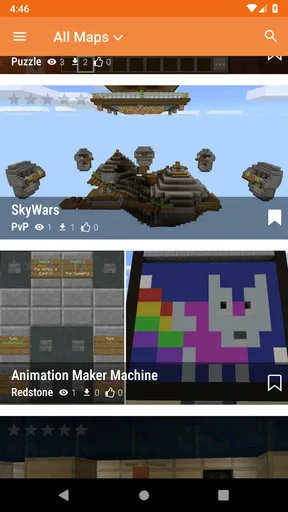
Maps for Minecraft PE is like having a treasure map leading to endless Minecraft adventures. This app is packed with a variety of maps ready to download and explore. From sprawling cities to intricate mazes, the options are practically endless. It’s like having a portal to countless new worlds, each with its own unique flair. Whether you’re into battling mobs in survival maps or building your dream city, there’s something here for everyone.
User-Friendly Interface
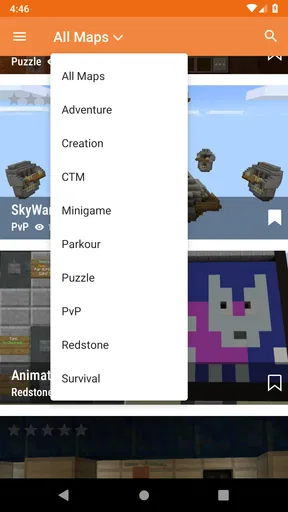
Let’s talk about the interface. Navigating through the app is a breeze. The developers clearly had user experience in mind, making it super intuitive. The categories are well-organized, and the search function is a lifesaver when you’re hunting for that specific map. Plus, downloading and installing maps is as easy as pie. A few taps and you’re ready to go!
Variety is the Spice of Life
The variety of maps available is truly impressive. I was like a kid in a candy store, scrolling through pages and pages of options. Want to explore Hogwarts? There’s a map for that. Fancy a bit of parkour? You bet there’s a map. The app constantly updates with new content, so there’s always something fresh to try. It keeps the game exciting and ensures you never run out of new adventures.
Community-Driven Content
One of the coolest aspects of Maps for Minecraft PE is the community-driven content. Many of the maps are created by fellow Minecraft enthusiasts, which means you get a diverse range of styles and creativity. It’s like getting a peek into someone else’s imagination. Plus, it’s a great way to discover new builders and perhaps get inspired for your own projects.
Performance and Compatibility
Now, I know what you’re thinking: “Will this app slow down your device?” Fear not, because the app is optimized to run smoothly on most devices. I tried it on both an older tablet and a newer smartphone, and it performed admirably on both. Just make sure you have enough storage space because some of those maps can be quite hefty!
Is It Worth It?
So, is Maps for Minecraft PE worth downloading? Absolutely! If you’re a Minecraft PE fan, this app is practically a must-have. It breathes new life into the game, offering fresh experiences and endless exploration. Plus, it’s a fantastic way to connect with the Minecraft community and discover new content.
All in all, Maps for Minecraft PE is a fantastic tool for any Minecraft PE player looking to expand their horizons. Whether you’re a seasoned builder or a curious explorer, this app has something to offer. So go ahead, give it a whirl, and get ready to dive into a world of endless creativity!
A few sensible checks make each session smoother
For a weekday evening, I might browse during a spare moment, pick a short parkour map, and install it before friends arrive. I then open the world once on my own, check that it starts in a sensible place, and make sure the basic objective is understandable. That small test is especially helpful with a group: it avoids turning a shared session into a troubleshooting exercise and lets me switch plans before everyone is waiting.
I also avoid treating map names or themes as a promise about the exact experience. A label can tell me the broad idea, but the layout, pacing, and amount of guidance are what determine whether the world suits me. When I’m unsure, I choose a map with a clear premise over one that merely sounds ambitious. This is a useful distinction for younger players too: a familiar theme may be appealing, but an unfamiliar challenge can still be confusing without a clear starting point.
How I handle storage and the occasional mismatch
Storage is the main practical constraint I would plan around. Minecraft worlds are separate from the map-browsing app, so I keep an eye on both the available room on the device and the worlds I actually want to retain. If a new map does not show up, I check the game’s world list and confirm that the installation completed before trying again. I avoid repeatedly downloading the same item, since that can use space without solving the underlying issue.
Compatibility deserves the same calm approach. The app’s current version is 2.3.3 and it supports Android 6.0 and later, but a phone’s operating-system compatibility does not by itself guarantee that every map will suit every Minecraft PE version. I use any map-specific guidance available and test a world before relying on it for a planned session. The app has been available since September 7, 2017, and has 255 reviews; I still judge it by whether the particular map I want installs and plays well for me.
Where convenience has limits
Automatic installation is the strongest convenience here, but it also means I have less reason to inspect the file-handling process than I would with a manual method. If I want precise control over where a world goes, or I’m already comfortable managing map files myself, a direct manual workflow may be preferable. On the other hand, for someone who does not want to learn those steps just to try a new maze, having the catalog and installation route together is a real time-saver.
I would also keep expectations grounded about what the app changes. It helps me find additional worlds; it does not replace Minecraft PE, teach every map’s rules, or make an unsuitable challenge enjoyable. A map can be poorly matched to the player, too demanding for a quick session, or simply not the style I like. I treat browsing as the start of choosing an activity, not as a guarantee that every download will become a favorite.
A verdict for players who like fresh worlds
For me, the best way to use this app is with a little selectivity: search for a specific kind of play, read the map details, install one option, and test it before setting aside time for it. That repeatable routine makes its convenience count and keeps a large catalog from becoming a backlog. The app is free, so trying it is a low-commitment choice, but device space and time are still worth protecting.
If you play Minecraft PE often and enjoy exploring other people’s layouts, this is an easy way to find a change of pace without making every map install a manual task. If your fun comes from one long-running world, or you prefer to control every file yourself, you may not use it enough to justify keeping it. My recommendation is strongest for curious players who want a steady source of ready-to-try worlds and are willing to choose carefully rather than download everything that catches their eye.
Pros
- User-friendly interface for easy navigation.
- Wide variety of maps to explore and download.
- Regular updates with new content.
- Compatible with all Minecraft PE versions.
- Offline access to downloaded maps.
Cons
- Contains ads that can interrupt gameplay.
- Some maps require in-app purchases.
- Occasional crashes on older devices.
- Limited customization options for maps.
- Requires internet for map downloads.
FAQs for Maps for Minecraft PE
What is Maps for Minecraft PE and how does it enhance gameplay?
Maps for Minecraft PE is an application that provides a wide variety of custom maps for Minecraft Pocket Edition. These maps range from adventure and survival challenges to creative builds and mini-games. By installing these, players can explore new worlds, undertake unique quests, and experience Minecraft in fresh, exciting ways, adding depth to the standard gameplay.
How do I install maps from the app into Minecraft PE?
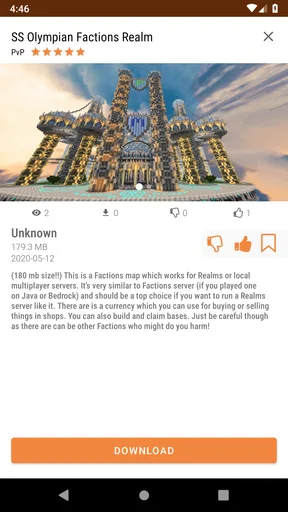
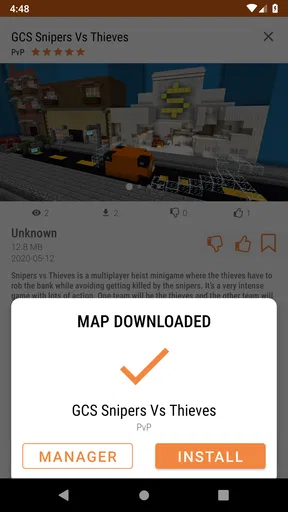
Installing maps from the app is straightforward. Once you've selected a map, the app provides a direct download option that integrates with Minecraft PE. You simply tap 'Download' and follow the on-screen instructions. The map will automatically be imported into the game, ready for you to explore and enjoy immediately.
Is Maps for Minecraft PE free to use, and are there any in-app purchases?
Maps for Minecraft PE is generally free to download and use, offering a substantial selection of maps at no cost. However, some maps or features may require in-app purchases to access premium content. These purchases help support developers and ensure a continuous stream of new and exciting maps for users.
Can Maps for Minecraft PE be used on all versions of Minecraft Pocket Edition?
Maps for Minecraft PE is designed to work with the latest versions of Minecraft Pocket Edition. However, compatibility may vary slightly depending on updates and changes in the game. It's recommended to keep both the app and the game updated to ensure smooth integration and access to all features.
Are the maps safe to download and use within Minecraft PE?
Yes, the maps provided by Maps for Minecraft PE are curated to ensure safety and compatibility. The app regularly updates its library and scans for any potential issues. However, it's always a good practice to download maps from trusted sources and keep your device's security settings up-to-date to avoid any risks.


